Ecommerce
Abandoned Cart Emails: Examples, Templates, Timing & Best Practices (2026)
A shopper adds to cart and disappears — but that is already strong intent. Here is how to build a recovery sequence that works: templates, timing, automation logic, deliverability, and troubleshooting.
By The SendDoggie Team · August 2026 · 17 min read
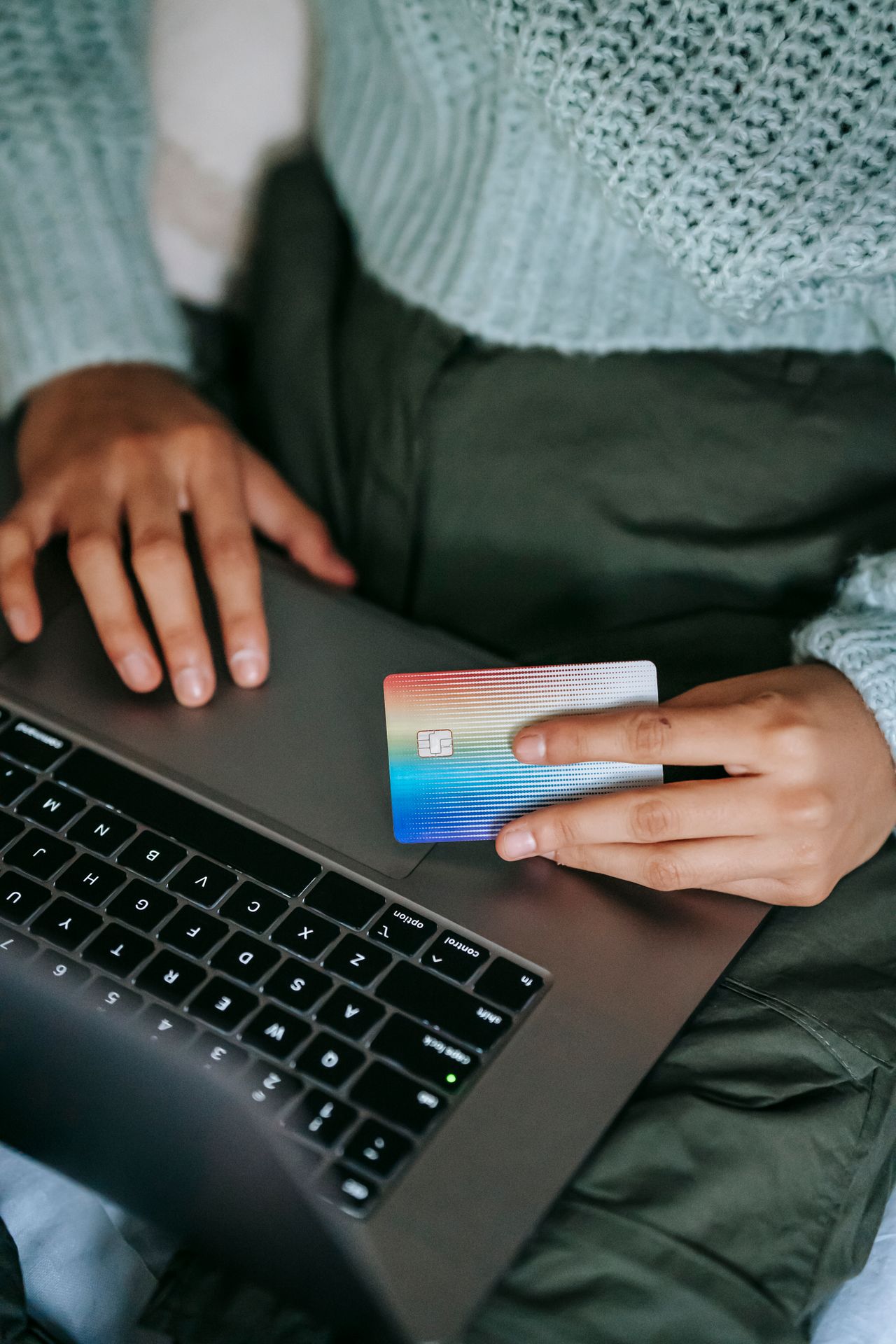
A shopper adds a product to their cart, starts checkout, and then disappears.
That does not necessarily mean they changed their mind. They may have been comparing prices, hit an unexpected shipping charge, got distracted, or encountered a checkout problem.
That makes abandoned cart email different from ordinary promotional email: the recipient has already shown strong purchase intent.
But sending a reminder is not enough. A useful abandoned cart system has to identify the right event, preserve the correct cart, send at sensible intervals, stop immediately after purchase, and avoid creating deliverability problems.
Baymard's latest research puts average ecommerce cart abandonment at about 70%, while also showing that a significant portion of abandonment comes from shoppers who were simply browsing or not ready to buy. Among the abandonment reasons that merchants can potentially address, unexpected costs, delivery speed, trust, forced account creation, and checkout complexity are prominent factors. (Baymard Institute)
This guide explains how abandoned cart emails actually work, how to structure a sequence, what to write, and what to watch for once the automation is running.
Why abandoned cart emails are worth setting up
The attraction is simple: you are following up with someone who has already interacted with a product rather than trying to create demand from scratch.
But there is an important distinction.
Not every abandoned cart is recoverable.
Someone comparing three products, checking shipping prices, or saving something for later may never have intended to purchase that day. Baymard's research found that around 42% of US online shoppers reported abandoning because they were just browsing or not ready to buy. (Baymard Institute)
That means the goal should not be to treat every abandonment as a lost sale.
The goal is to remove friction for shoppers who were interested but did not finish.
What a good cart recovery system can do
A properly implemented workflow should:
- Remember the products in the cart
- Link directly back to the cart or checkout
- Send while purchase intent is still relevant
- Answer common objections
- Stop when the customer purchases
- Respect unsubscribes and suppression rules
- Track sends, deliveries, clicks, conversions, bounces, and complaints
The last point is frequently overlooked.
An abandoned cart system is not just a copywriting exercise. It is an event-driven email system.
What causes shoppers to abandon a cart?
Before changing your emails, understand why people leave.
Baymard's research identifies several recurring reasons, including additional costs, slow delivery, lack of trust, forced account creation, and complicated checkout flows. (Baymard Institute)
This matters because the email should address the likely problem instead of blindly offering a discount. For example:
Problem: unexpected shipping cost
Bad recovery email:
"10% OFF! Come back and buy now!"
Better:
"Still thinking it over? Your cart is saved. Orders over $50 ship free."
Problem: uncertainty about the product
Better:
"Still deciding? Here are three things customers ask us about [Product] most often."
Problem: distraction
You may not need persuasion at all:
"You left something in your cart. We've saved it for you."
The email should reduce friction, not manufacture urgency.
How abandoned cart email automation works
At a technical level, abandoned cart recovery is an event-driven workflow. A simplified version looks like this:
Cart created
     ↓
Checkout started / email identified
     ↓
No completed order
     ↓
Wait
     ↓
Send reminder
     ↓
Wait
     ↓
Check purchase status
     ↓
Purchased? ── Yes → Stop
     │
     No
     ↓
Send next email
The important part is the purchase check before every email. Do not simply schedule three emails and assume the customer will remain eligible.
Step 1: Capture the cart
Your application needs enough information to reconstruct the customer's cart. For example:
{
  "customer_id": "cus_4821",
  "email": "alex@example.com",
  "cart_id": "cart_9812",
  "items": [
    {
      "product_id": "SKU-123",
      "name": "Wireless Keyboard",
      "quantity": 1,
      "price": 79.00,
      "image_url": "https://example.com/keyboard.jpg"
    }
  ],
  "cart_total": 79.00,
  "created_at": "2026-08-20T09:30:00Z"
}
In a real system, the cart record should have a stable ID rather than relying on the email address alone. That makes it possible to handle customers who create multiple carts, change their email, or purchase one cart while another remains open.
Step 2: Determine when the cart becomes abandoned
This is more complicated than simply checking whether a cart exists. A useful rule might be:
cart exists
AND customer has provided an email
AND checkout/order has not completed
AND cart has not expired
AND customer has not opted out
For stores with a checkout event, use that event when possible.
For stores where the shopper only adds products to a cart, be more conservative. Sending an email to someone who merely clicked "Add to cart" can feel intrusive if they never supplied their email for that purpose.
Step 3: Schedule the workflow
Store the next action rather than relying entirely on application memory. For example:
cart_id: cart_9812
sequence: abandoned_cart
step: 1
next_send_at: 2026-08-20 10:30 UTC
status: active
A background worker can then pick up eligible records. This is more reliable than keeping timers inside a web request.
Step 4: Check purchase status before sending
Immediately before sending:
if order_completed(cart_id):
    cancel_sequence(cart_id)
    return

send_abandoned_cart_email(cart_id)
In production, this check should also be protected against race conditions. For example, a customer might complete checkout at almost exactly the same time your worker begins processing the email.
A good system should make the purchase state authoritative and use idempotent workflow operations so the same sequence step cannot accidentally send twice.
The abandoned cart email sequence
There is no universal number of emails that every store should send.
A three-step sequence is a sensible starting point because it gives you three different jobs without turning the workflow into a long drip campaign.
| Timing | Main job | |
|---|---|---|
| Email 1 | About 1 hour | Remind |
| Email 2 | About 24 hours | Reassure |
| Email 3 | About 48–72 hours | Final nudge |
Treat these as starting points, not laws. A high-consideration product may need more time. A low-cost impulse purchase may benefit from a shorter window.
Email 1: The reminder
The first email should assume the simplest explanation: they got distracted. Do not immediately imply that something is wrong.
Subject: You left something behind
Hi [First Name],
Looks like you left a few things in your cart.
We've saved them for you.
[Product image]
[Product name] — [$79]
When you're ready, you can pick up where you left off:
[Return to my cart]
Have a question before ordering? Just reply to this email.
— [Brand]
The key is the link. Send the customer back to the actual cart whenever possible, rather than dropping them on the homepage.
Email 2: The reassurance email
The second email should answer the question: "Why should I complete this purchase?" Use information that reduces uncertainty. Depending on your business, that might include:
- Return policy
- Shipping information
- Product warranty
- Customer reviews
- Product specifications
- Frequently asked questions
- Customer support availability
- Payment options
Subject: Still thinking it over?
Hi [First Name],
Your cart is still waiting.
If you're still deciding, here are a few things that may help:
- ★ [4.8/5] rating from [customer count] reviews
- Free shipping over [$X]
- [30-day] returns
- [Warranty/support detail]
[Complete my order]
And if there's something you're unsure about, reply to this email and we'll help.
— [Brand]
Do not invent reviews, ratings, guarantees, or shipping promises. Pull these values from your actual store data or approved brand content.
Email 3: The final nudge
The final email is where an incentive may make sense. But a discount should not be automatic.
- If your customers frequently abandon specifically because of price, test an incentive.
- If shipping is the problem, free shipping may make more sense.
- If urgency is real, communicate it accurately.
Template without a discount
Subject: Your cart is still saved
Hi [First Name],
Just a final reminder that the items you selected are still in your cart.
[Product image]
[Return to my cart]
If you've decided it's not the right time, no problem.
Thanks for visiting [Brand].
Template with an incentive
Subject: A little help with your order
Hi [First Name],
If you've been waiting to place your order, here's a small incentive:
[10% off / free shipping]
Use code [SAVE10] before [actual expiration date].
[Complete my order]
Questions? Reply to this email and we'll help.
— [Brand]
Only use a deadline, stock warning, or expiration date when it is real. Fake scarcity is easy to overuse and can damage trust.
Want these ready to paste? Grab our free copy-paste abandoned cart email templates — the full 3-email sequence plus bonus templates.
Abandoned cart subject lines
Keep the subject aligned with what the email actually contains.
Simple reminders
- You left something behind
- Your cart is still saved
- Your cart is waiting
- Still thinking it over?
- Your [Product] is still in your cart
Reassurance
- Still deciding? Here's what you should know
- Questions about your order?
- Need help finishing your order?
- A few things you might want to know
Incentive
- Free shipping on your saved cart
- A little something for your order
- Here's 10% off your cart
- Your offer is waiting
Avoid turning every subject line into an urgency message. "Last chance!!!" is not automatically better than "Your cart is still saved." For more on what drives opens, see our open-rate benchmarks guide.
How long should you wait between abandoned cart emails?
Start with a simple schedule:
Cart abandoned
     ↓
~1 hour
Email 1
     ↓
~23 hours
Email 2
     ↓
~48 hours
Email 3
That gives you approximately:
- 1 hour after abandonment
- 24 hours after abandonment
- 72 hours after abandonment
The exact schedule should depend on your product and buying cycle.
Test timing based on the product
For a $15 accessory:
30–60 min → 12–24 hr → 48 hrFor a $500 product:
2–4 hr → 24–48 hr → 3–5 daysThese are testing starting points, not industry benchmarks. Look at your own conversion data.
If most recovered purchases happen within six hours, a five-day sequence is probably unnecessary. If customers routinely take several days to decide, compressing the sequence may be counterproductive.
Don't optimize only for opens
Email analytics can create a misleading picture. For abandoned cart recovery, the useful funnel is closer to:
Eligible carts
      ↓
Emails sent
      ↓
Delivered
      ↓
Clicked
      ↓
Returned to checkout
      ↓
Purchased
      ↓
Revenue
A subject line that increases opens but produces fewer purchases is not necessarily an improvement. Track at least:
- Eligible abandoned carts
- Emails sent
- Delivery failures
- Clicks
- Cart returns
- Purchases
- Revenue attributed to recovery
- Unsubscribes
- Complaints
If your email platform supports event-level tracking, assign a campaign or sequence identifier to each message.
Amazon SES configuration sets, for example, can publish sending events such as sends, deliveries, opens, clicks, bounces, and complaints to event destinations. (AWS Documentation)
Deliverability: abandoned cart emails are still email
This is where many ecommerce implementations get sloppy. An abandoned cart message can be highly relevant and still land in spam if the sending setup is poor.
Authenticate the sending domain
At minimum, configure SPF, DKIM, and DMARC. For a plain-English walkthrough of all three, see our deliverability guide.
Amazon SES recommends authenticating sending identities and supports both SPF and DKIM for authenticated sending. (AWS Documentation)
For a typical domain, your DNS might look conceptually like:
TXT
example.com
v=spf1 include:your-mail-provider.example ~all
The exact SPF value depends on your actual sending provider. Do not copy an SPF record from another provider.
Also remember that SPF is a single TXT policy for a domain. If you already have:
v=spf1 include:_spf.google.com ~allyou generally add another provider's include: to the same SPF record rather than creating a second SPF record. Multiple SPF records can cause authentication failures.
DKIM
DKIM usually looks different because your email provider gives you the selector and public key. Conceptually:
selector1._domainkey.example.comwith a TXT or CNAME record supplied by your email provider. With Amazon SES Easy DKIM, SES generates the signing keys and provides the DNS records needed to publish the public key. (AWS Documentation)
DMARC
A starting DMARC policy can look like:
_dmarc.example.com

v=DMARC1; p=none; rua=mailto:dmarc@example.com
p=none means receivers are asked to collect/report rather than reject or quarantine based on DMARC policy.
Once authentication and alignment are understood, organizations can consider stronger enforcement such as quarantine or reject. Do not jump straight to a strict policy on a domain that has unknown third-party senders.
Gmail requirements matter
Google's sender requirements apply to email sent to personal Gmail accounts.
For all senders, Google requires authentication with SPF or DKIM and has requirements around DNS, TLS, spam rates, and message formatting. For senders sending more than 5,000 messages per day to Gmail accounts, Google requires SPF and DKIM, DMARC, aligned authentication, and one-click unsubscribe for marketing and subscribed messages. (Google Help)
Google also distinguishes marketing messages from transactional messages when applying unsubscribe requirements. (Google Help)
That distinction matters for abandoned-cart email. Do not assume that because the message is triggered by a shopping event it automatically qualifies as transactional email. If the message is promotional — especially when it includes a discount or marketing content — treat it accordingly.
Build suppression into the workflow
A customer who has already purchased should not continue receiving abandoned-cart reminders. Neither should someone who has unsubscribed from the relevant marketing communications.
Your eligibility check should look something like:
def eligible_for_cart_email(cart, customer):
    return (
        cart.status == "abandoned"
        and not cart.order_completed
        and not customer.unsubscribed
        and not customer.suppressed
        and cart.expires_at > now()
    )
The exact implementation will vary, but the principle is universal: eligibility should be checked immediately before sending.
Amazon SES also provides account-level and configuration-set suppression mechanisms for addresses associated with bounces and complaints. (AWS Documentation)
For permanent bounces, AWS recommends removing the address from your mailing list rather than repeatedly attempting delivery. (AWS Documentation)
Common implementation mistakes
Mistake 1: Sending after purchase
This is the most obvious workflow failure.
Fix: cancel the sequence when an order-completed event arrives and perform another purchase check immediately before every send.
Mistake 2: Sending to every cart
A cart is not automatically an email permission signal.
Fix: establish exactly when an email address becomes eligible for the workflow and follow the applicable consent and marketing rules.
Mistake 3: Sending everyone the same discount
This can unnecessarily reduce margin.
Fix: start with a reminder, then test reassurance, free shipping, or a discount based on actual customer behavior.
Mistake 4: Linking to the homepage
The customer already did the discovery work.
Fix: send them directly to the saved cart or a secure checkout continuation URL.
Mistake 5: Reconstructing stale cart data
If the customer changes the quantity or removes a product, the email can display incorrect information.
Fix: validate product availability, pricing, inventory, and cart contents before rendering the message.
Mistake 6: Ignoring multiple carts
A customer can have more than one cart or browsing session.
Fix: use a stable cart identifier and define how concurrent carts are handled.
Mistake 7: Treating bounces as an analytics problem only
A hard bounce is not simply a failed delivery metric. It is a signal that your system should stop sending to that address.
Troubleshooting abandoned cart emails
Emails aren't being sent
Check:
- Did the cart actually reach the abandoned state?
- Was an email address captured?
- Has the delay elapsed?
- Is the sequence active?
- Is the customer suppressed?
- Has the order already completed?
- Is the background worker running?
- Did the email provider accept the send request?
Log the sequence ID, cart ID, customer ID, scheduled time, eligibility result, and provider response. That makes debugging dramatically easier.
Emails are being sent after purchase
Check the order webhook and the pre-send eligibility check. A common failure looks like:
09:00 — schedule Email #2
09:15 — customer purchases
09:16 — order webhook arrives
09:17 — Email #2 sends anyway
The sequence needs a cancellation path and a final state check. Do not rely on cancellation alone.
Emails are landing in spam
Check SPF, DKIM, DMARC, domain alignment, bounce rate, complaint rate, sending reputation, list quality, content, sending patterns, and Gmail Postmaster Tools data where available.
Google specifically recommends keeping reported spam rates below 0.3% and has increased enforcement against non-compliant traffic. (Google Help)
DNS authentication is failing
Common causes include:
- Two SPF records
- Incorrect DKIM selector
- Missing DNS record
- Typo in a TXT value
- DNS provider automatically adding quotation marks incorrectly
- Using the wrong sending region or provider record
- Assuming DNS changes are instant
Verify the records publicly and then verify authentication from the receiving side. Do not keep changing DNS records blindly. First determine which authentication mechanism is actually failing.
A practical abandoned cart implementation checklist
Before turning the automation on, verify:
- The cart has a stable ID
- The customer email is valid and eligible
- The abandoned-cart event is clearly defined
- Cart contents are stored or retrievable
- The email links to the correct cart
- Product prices are refreshed before sending
- Out-of-stock products are handled
- Completed purchases cancel the sequence
- Unsubscribed contacts are excluded
- Suppressed addresses are excluded
- SPF is configured correctly
- DKIM is passing
- DMARC is configured
- Bounce events are processed
- Complaint events are processed
- Email events are being recorded
- Attribution identifies recovered purchases
- The emails work on mobile
- The unsubscribe mechanism matches the type of email being sent
- Test orders have been run end to end
How SendDoggie fits into the workflow
You can build abandoned-cart automation yourself using your ecommerce platform, a job queue, an email provider, and event tracking.
The hard part is not sending one email. The hard part is maintaining the entire workflow reliably:
Store event
   ↓
Customer + cart data
   ↓
Automation scheduler
   ↓
Eligibility check
   ↓
Email rendering
   ↓
Email API / SMTP
   ↓
Delivery events
   ↓
Purchase / bounce / complaint
   ↓
Automation state update
SendDoggie is designed to handle the email-sending and automation side of workflows like this, including campaigns, sequences, domain authentication, contact management, analytics, SMTP, and API-based sending.
For a store using Shopify or WooCommerce, the useful architecture is to pass the cart and customer events into the automation layer, then let the sequence handle timing and delivery while the ecommerce platform remains the source of truth for order status.
The important part is the architecture, not the particular email provider.
Final thoughts
Abandoned cart email works best when you stop thinking of it as a discount campaign. It is a recovery workflow.
The first message should help a distracted shopper return. The second should remove uncertainty. A third message can provide a legitimate final reason to act if the economics make sense.
Behind those emails, the technical implementation matters just as much as the copy. Your system needs accurate cart state, reliable scheduling, purchase cancellation, suppression handling, domain authentication, bounce and complaint processing, and useful conversion tracking.
And remember that not every abandoned cart represents a lost customer. Some shoppers were never ready to buy in the first place. Baymard's research makes that distinction particularly clear. (Baymard Institute)
The goal is not to chase every abandoned cart. It is to make it easy for an interested customer to finish what they already started.
Key takeaways
- Start with a simple sequence. A reminder, reassurance email, and optional final incentive are a practical starting structure.
- Use the actual cart. Show the products and link directly back to the saved cart or checkout.
- Don't assume every abandonment is recoverable. Window shopping and comparison shopping are normal parts of ecommerce.
- Don't lead with discounts automatically. First test whether a reminder or reassurance message is enough.
- Stop the sequence after purchase. Check order status immediately before every send.
- Treat deliverability as part of the product. SPF, DKIM, DMARC, suppression, bounce handling, and complaint handling all matter.
- Track purchases, not just opens. Revenue and completed orders are more useful than vanity metrics.
- Use real urgency only. Never invent stock warnings, deadlines, or expiration dates.
- Test timing against your own data. There is no universal abandoned-cart schedule that fits every store.
- Automate the infrastructure. Platforms such as SendDoggie can reduce the operational work involved in managing sending, sequences, authentication, and email events.
Recovering the cart is only half the job. Once the order is placed, the post-purchase sequence decides whether that customer ever buys from you a second time.
Sources
- Baymard Institute — Reasons for Cart Abandonment
- Baymard Institute — Cart Abandonment Rate Statistics
- Amazon SES — Using configuration sets
- Amazon SES — Configuring identities
- Amazon SES — Authenticating email with DKIM
- Gmail — Email sender guidelines
- Gmail — Email sender guidelines FAQ
- Amazon SES — Account-level suppression list
- Amazon SES — Event data contents